Architectural Drawing

      Description


      Architectural Drawing in Markdown: Structured Design Documentation

      "Build the blueprint of your vision, one line of text at a time."

      Product Overview:

      Architectural Drawing in Markdown is not a traditional CAD or BIM software. It's a revolutionary methodology and conceptual framework for representing, documenting, and managing architectural information using the universal simplicity of Markdown. This approach leverages Markdown's plain-text, human-readable, and machine-parseable qualities to structure design data, specifications, and conceptual layouts, fostering unparalleled clarity, version control, and collaborative efficiency.

      Imagine a design process where critical details, material specifications, room schedules, and design rationale are as accessible and version-controlled as your source code. This product empowers architects, designers, and project managers to outline entire projects, from conceptual massing to detailed component specifications, using only text.

      Key Features & Benefits:

      • Plain-Text Simplicity:
        • Benefit: Write and read architectural documentation without specialized software. A simple text editor is all you need.
        • Feature: Utilizes standard Markdown syntax (# Headers, * Lists, **Bold**, [Links](URL)).
      • Version Control Ready (Git-Friendly):
        • Benefit: Track every change to your architectural documentation with the same rigor as software development. Easily revert to previous versions, compare changes, and understand project evolution.
        • Feature: Native compatibility with Git and other version control systems.
      • Enhanced Collaboration:
        • Benefit: Share, review, and merge architectural specifications and design decisions seamlessly across teams, even asynchronously. Reduce ambiguity and streamline communication.
        • Feature: Lightweight files are easy to email, upload, and integrate into collaborative platforms.
      • Structured Data & Clarity:
        • Benefit: Organize complex architectural information into clear, hierarchical, and easily digestible formats. Improve readability and reduce misinterpretations.
        • Feature: Use Markdown's heading levels, lists, tables, and blockquotes to structure data effectively.
      • Rapid Prototyping & Conceptualization:
        • Benefit: Quickly outline design ideas, spatial relationships, and functional requirements in the early stages without getting bogged down by visual tooling. Focus on core concepts.
        • Feature: Describe spaces, components, and relationships using descriptive text and simple outlines.
      • Future-Proof & Portable:
        • Benefit: Your architectural documentation is stored in a universal, non-proprietary format that will be readable for decades to come, independent of software vendors.
        • Feature: Pure Markdown files (.md or .markdown) are universally compatible.
      • Semantic Richness (with extensions):
        • Benefit: While pure Markdown, it opens the door to external tools and custom parsers that can interpret and even visualize structured architectural data from the text.
        • Feature: Supports custom Markdown extensions (e.g., mermaid for diagrams, yaml front matter for metadata) for advanced users.

      What You Can Create:

      • Room Schedules:

        ### Room Schedule - Level 1 | Room ID | Name        | Area (sqm) | Finish Floor | Finish Ceiling | Wall Type    | Notes              | | :------ | :---------- | :--------- | :----------- | :------------- | :----------- | :----------------- | | 101     | Entry Foyer | 12.5       | Porcelain    | Gypsum Board   | Painted GWB  | High traffic       | | 102     | Living Room | 35.0       | Engineered HW | Gypsum Board   | Painted GWB  | Feature wall (TBD) | | 103     | Kitchen     | 20.0       | Porcelain    | Gypsum Board   | Tile Backsp. | Open concept       |

      • Material Specifications:

        ### Material Specifications - Exterior Walls *   **Wall Assembly:** W1 - Standard Exterior Wall    *   **Exterior Finish:**        *   **Type:** Stucco System, Sand Finish        *   **Color:** SW 7015 Repose Gray        *   **Manufacturer:** Sto Corp.    *   **Insulation:**        *   **Type:** Rigid XPS Foam Board        *   **Thickness:** 2" (R-10)        *   **Manufacturer:** Owens Corning    *   **Sheathing:**        *   **Type:** Plywood, 5/8" CDX        *   **Fasteners:** 8d nails @ 6" o.c.    *   **Framing:**        *   **Type:** Wood Studs, 2x6 @ 16" o.c.        *   **Species:** SPF #2    *   **Interior Finish:**        *   **Type:** 5/8" Type X Gypsum Board        *   **Finish:** Smooth, Painted (SW 7006 Extra White)

      • Design Decision Logs:

        ### Design Decision Log - 2023-10-27 *   **Topic:** Kitchen Island Design    *   **Decision:** Opt for a waterfall countertop edge on both ends.    *   **Rationale:** Client preference for modern aesthetic, cleaner lines. Cost impact minor.    *   **Alternatives Considered:** Standard countertop edge, open shelving on one end.    *   **Approved By:** John Doe (Client), Jane Smith (Architect)    *   **Impact:** Requires careful fabrication detailing. *   **Topic:** Window Glazing Specification - South Facade    *   **Decision:** Upgrade to Low-E triple-pane glass for improved thermal performance.    *   **Rationale:** Mitigate solar heat gain and reduce HVAC load in summer, improve winter insulation.    *   **Alternatives Considered:** Standard double-pane, exterior shading.    *   **Approved By:** Jane Smith (Architect), Environmental Consultant    *   **Impact:** Increased window unit cost (~15%), reduced energy consumption.

      • Conceptual Layouts (Abstract):

        ### Conceptual Site Plan - Zone A > Represents a hierarchical decomposition rather than a visual drawing. *   **Zone A: Residential Core**    *   **Sub-Zone A.1: Primary Residence**        *   **Space A.1.1: Living Area**            *   Dimensions: ~8m x 6m            *   Adjacencies: Connects to Dining, Outdoor Terrace.            *   Key Features: Fireplace, large south-facing windows.        *   **Space A.1.2: Kitchen**            *   Dimensions: ~5m x 4m            *   Adjacencies: Connects to Dining, Pantry, Garage.            *   Key Features: Island, direct outdoor access.    *   **Sub-Zone A.2: Guest House**        *   Dimensions: ~6m x 4m (single module)        *   Adjacencies: Separate entrance, views to garden. *   **Zone B: Landscape & Amenities**    *   **Area B.1: Main Garden**        *   Features: Native planting, paved pathways.    *   **Area B.2: Outdoor Dining Terrace**        *   Features: Pergola, BBQ station.

      Ideal For:

      • Architects & Designers: For early-stage ideation, project briefs, detailed specifications, and structured documentation.
      • Students: To learn structured thinking and documentation without software overhead.
      • Project Managers: For clear, trackable, and easy-to-digest project requirements and decision logs.
      • Developers & BIM Managers: As a lightweight, interoperable data source for scripting, data extraction, or integration with other tools.
      • Anyone seeking: A more efficient, collaborative, and version-controlled approach to architectural documentation.

      What It Is NOT (Important Disclaimer):

      • It is NOT a visual drawing tool: You cannot draw lines, shapes, or 3D models directly in Markdown.
      • It is NOT CAD software: It does not produce .dwg, .dxf, or similar CAD files.
      • It is NOT BIM software: It does not manage geometric data or generate federated models automatically.
      • It is NOT a replacement for visual design: It complements, rather than replaces, visual design tools by providing a robust textual backbone.

      Technical Specifications:

      • Format: Pure Markdown (.md, .markdown)
      • Requirements: Any text editor or Markdown editor (e.g., VS Code, Typora, Obsidian, Notion, GitHub/GitLab text editor)
      • Compatibility: Highly compatible with all operating systems and web browsers (via Markdown renderers).
      • Extensibility: Compatible with various Markdown extensions (e.g., GitHub Flavored Markdown, Mermaid, MathJax, YAML front matter) for enhanced functionality when supported by your renderer/toolchain.

      Call to Action:

      Embrace the power of structured text to define your architectural world. Start building clearer, more collaborative, and future-proof architectural documentation today. Explore the possibilities of Architectural Drawing in Markdown and transform how you conceptualize and communicate design.

      Learn More | Get Started | Explore Examples

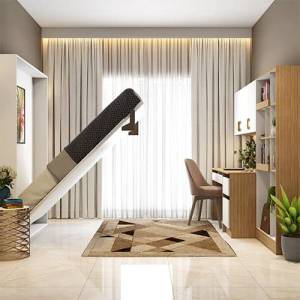
      bedroom

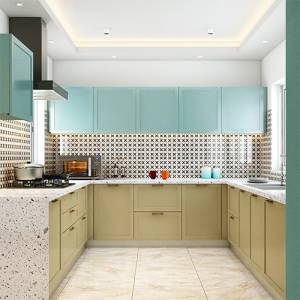
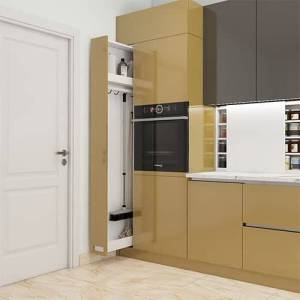
      kitchenroom

      hallroom

      Tags: Architectural Drawing